PDF reports in PHP,
designed in XML
Describe the layout of your document in an XML template, bind it to your data and generate professional PDF documents with just a few lines of PHP code.
composer require alienproject/pdfreport
New: create and customize templates with AI · GitHub · Packagist


How it works
From data to PDF in three steps
Install
Run a composer command: the library and its TCPDF dependency are downloaded, installed and autoloaded.
Describe the layout
Write the XML template: page, texts, lines, images, barcodes, charts and placeholders for your data.
Generate
A few lines of PHP: choose the template, pass the data (variables or database queries) and build the PDF.
A "Hello World" page: in most cases you only choose the template and pass the data.
All the design is in the XML template. Placeholders like {HELLO_MESSAGE} are replaced with your data.
New
Create templates with AI
A PDFReport template is plain, well-documented XML. Give an AI assistant (Claude, ChatGPT, Copilot, Gemini...) the online guide and one of the example templates: it can write a new template from your description or adapt an existing one, in minutes.
A new template from a description
Describe the document: page size, header, data fields, table rows, totals, barcode. The AI writes the XML template and the PHP code that binds your data.
From a document you already use
Attach a photo, a scan or a PDF of the form you use today: the AI reproduces its layout as a PDFReport template, ready to be filled with your data.
Customize an existing template
Translate it, change logo and colors, add a column, a chart or a barcode, create a version for another customer: ask for the change and get the updated XML.
How to do it
Give the context. Share the link to the online guide and attach one or two example templates similar to the document you need.
Describe the document or attach an image of it, and tell the AI which data sections and fields you have.
Test and refine. Paste the template in the editor of the reserved area and build the PDF instantly. If something is wrong, send the error message back to the AI: it reports the line and the reason of the problem.
Always review and test the generated template before using it in production.
You are helping me write an XML template for the PDFReport PHP library.
Read the online guide at https://alienproject.org/help and use this template as a reference: https://alienproject.org/sample/example_07.xml

Create an A4 delivery note template with:
- company logo and address at the top
- customer data from the section "dn" (fields: number, date, customerName, address, city)
- a table of items from the section "dn_det" (fields: code, description, quantity), 20 rows per page
- a Code 128 barcode with the delivery note number
- the page number in the footer

Use only the elements and attributes described in the guide, then write the PHP code that links the two sections to my MySQL queries.
Why PDFReport
Key advantages
Minimal PHP code
Creating a PDF document requires just a few lines of PHP code, compared to traditional methods such as using TCPDF directly.
Design separated from logic
The layout lives in the XML template, stored as a file or in a database field. Change a report, a language or a style without touching the PHP code.
Any data source
Ready-to-use data providers for MySQLi, PDO, Laravel (Eloquent) and Symfony (Doctrine), or your own custom provider (CSV, Excel, APIs...).
Charts, barcodes and more
Pie, bar, line/area, gauge and KPI charts, barcodes, images, master / detail sections with automatic page breaks and conditional printing.
Powered by TCPDF
Built on TCPDF, a well-established and reliable PHP library for PDF generation. Composer installs it automatically as a dependency.
Free and open source
Released under the GNU LGPL v3 license: use it in free and commercial projects. Cleaner code, easier to maintain over time.
Examples
Real templates, ready to download
Open the PDF, download the XML template, or log in to edit the templates online and build the report instantly. They are also a great starting point for an AI assistant.
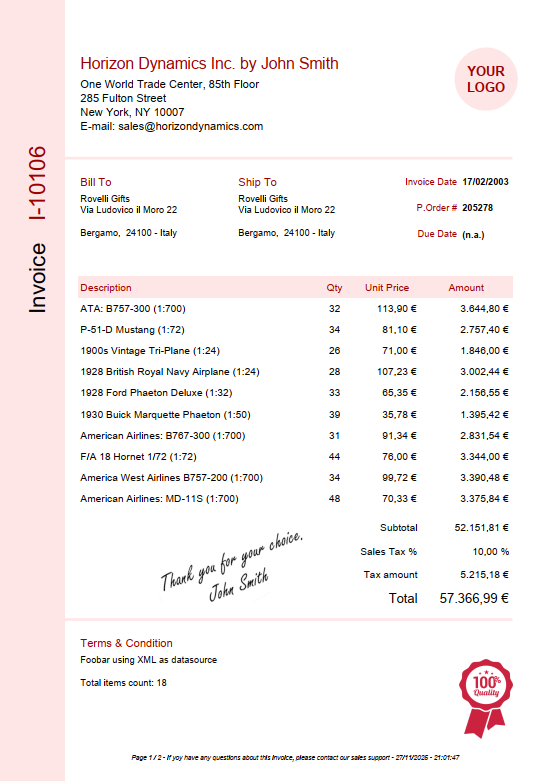
Sales invoice
Multi-page sales invoice (data binding via variables and data providers).
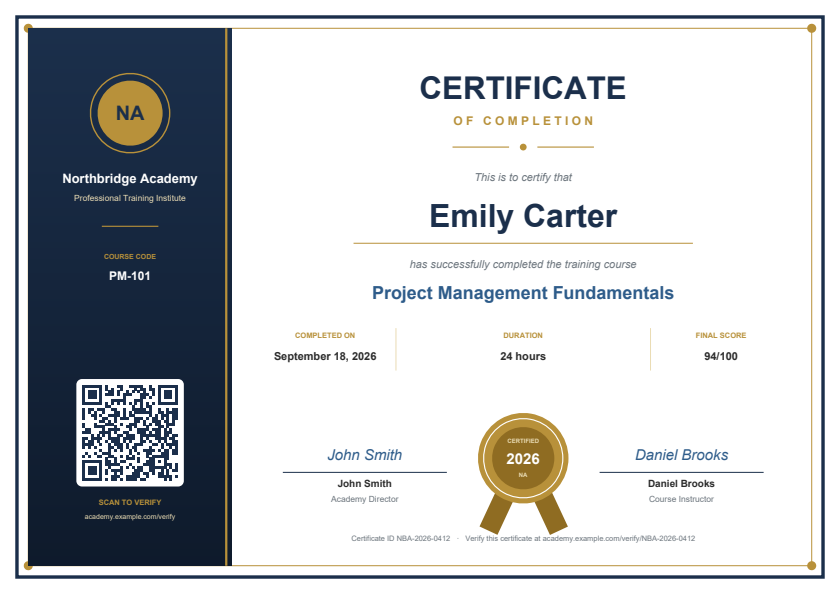
Certificate of completion
Elegant course certificate, one page for each participant of a CSV file (mail merge), with seal and QR verification code.
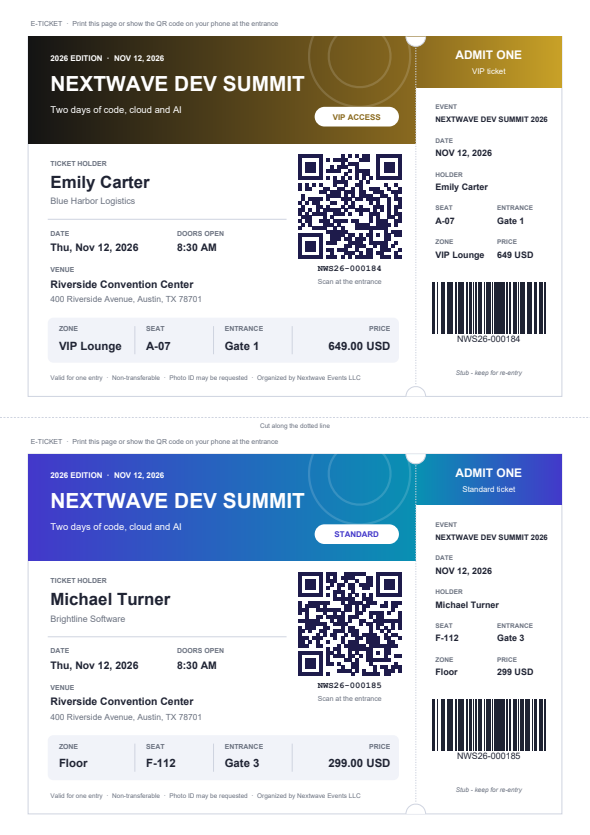
Event ticket
Conference e-tickets with QR code, tear-off stub with barcode and VIP style, read from a JSON file.
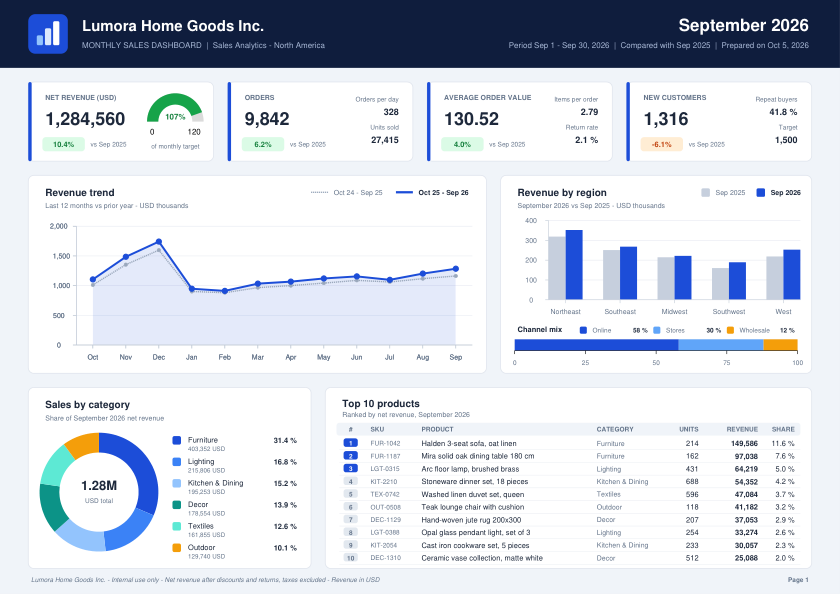
Sales dashboard
One-page management dashboard: KPI cards, revenue trend, sales by region, category and channel, top 10 products.
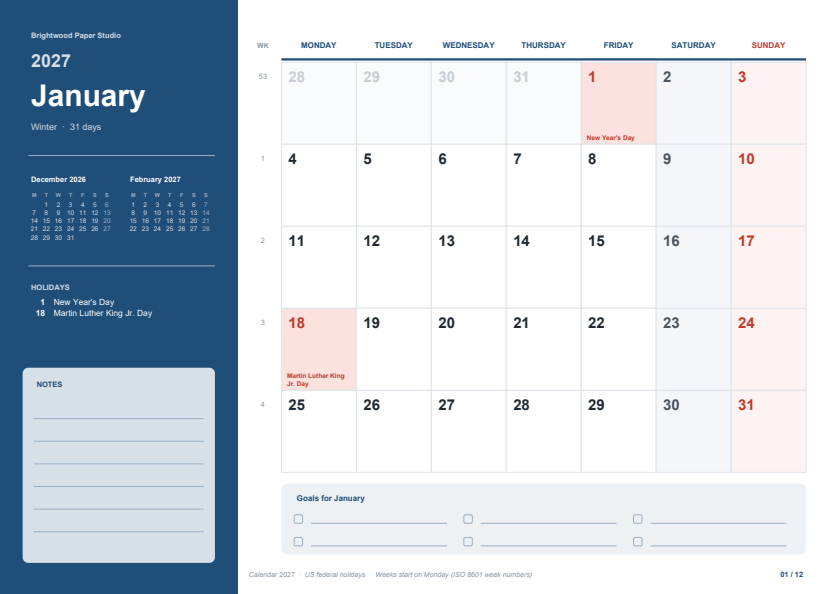
Calendar 2027
Twelve-month calendar with ISO weeks, highlighted holidays, mini calendars and notes; the data is generated in PHP.
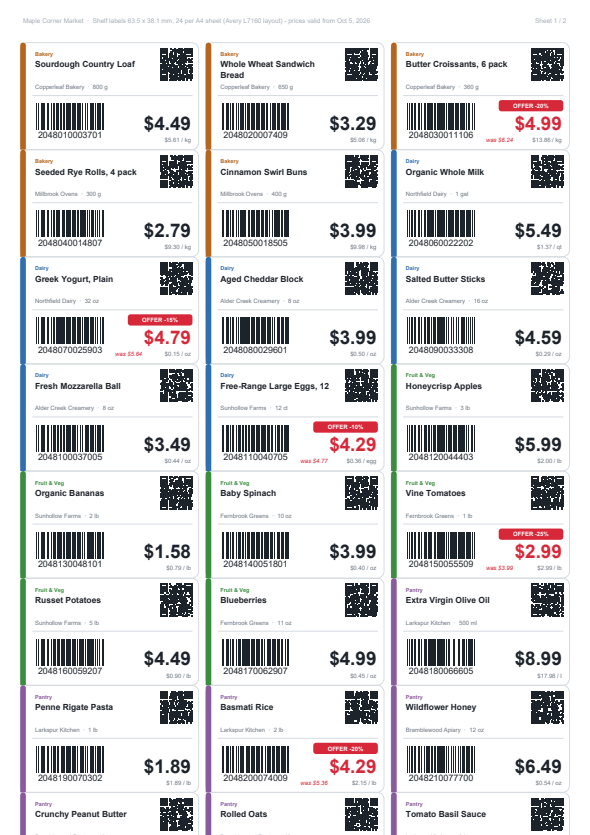
Shelf price labels
24 shelf labels for each A4 sheet (Avery L7160 layout) with EAN-13, QR code and offer badges, read from a CSV file.
Filter by category and language: business documents, labels, bills, charts and more.
Used in production
Interventio: every printed document is a PDFReport template
Interventio is our software for managing technical interventions, from the customer's request to the invoice.
All its printed documents, from the quote to the intervention report signed by the customer and the invoice, are generated by the PDFReport engine. There are templates per company and per language (Italian, English, German, Spanish and French), each with the company's own logo.
Discover InterventioSee it at work in your sector

Other projects
Not only PDF

SignalLab
Audio and vibration signal analysis for Windows, built around a node editor: calibration, dB SPL, FFT, 1/3 octave bands, sound level meter, export to CSV and WAV.
A desktop application, not related to PDFReport. The preview is free; we are looking for sponsors that want to support its development.
About us
Passion for software brought us here. We are a small group of professional software developers who created this library in our spare time, partly out of passion and partly because we believe in free software and in sharing code.
We pay for maintaining our servers, so if you find this software useful, a small donation would be a huge help.
Make a donationContact us
Questions about the library, the templates or the web site? Write to us, we will reply by email as soon as possible.
Bugs and feature requests: please open an issue on GitHub, the answers can help other users too.